
“Ondexx 6 is more than just a suite of new features, it delivers a complete user interface overhaul that modernizes the entire platform experience.”
— David Tessler, CTO
For our content editors and system administrators, Ondexx 6.0 introduces a modernized feature set designed for speed, precision, and efficiency. We’ve completely rebuilt the authoring experience and introduced new AI-powered tools to eliminate tedious manual work, allowing you to manage high-volume knowledge bases effortlessly.
Here are the highlights of what’s new for the editing and administrative teams.
The Modernized Page Editor
The editing experience has been completely redesigned from the ground up to keep you in the flow of writing while giving you more control over every page’s content.
▶️ Watch the Video: See the New Page Editor in action (5:07)
Brand New Editor UI
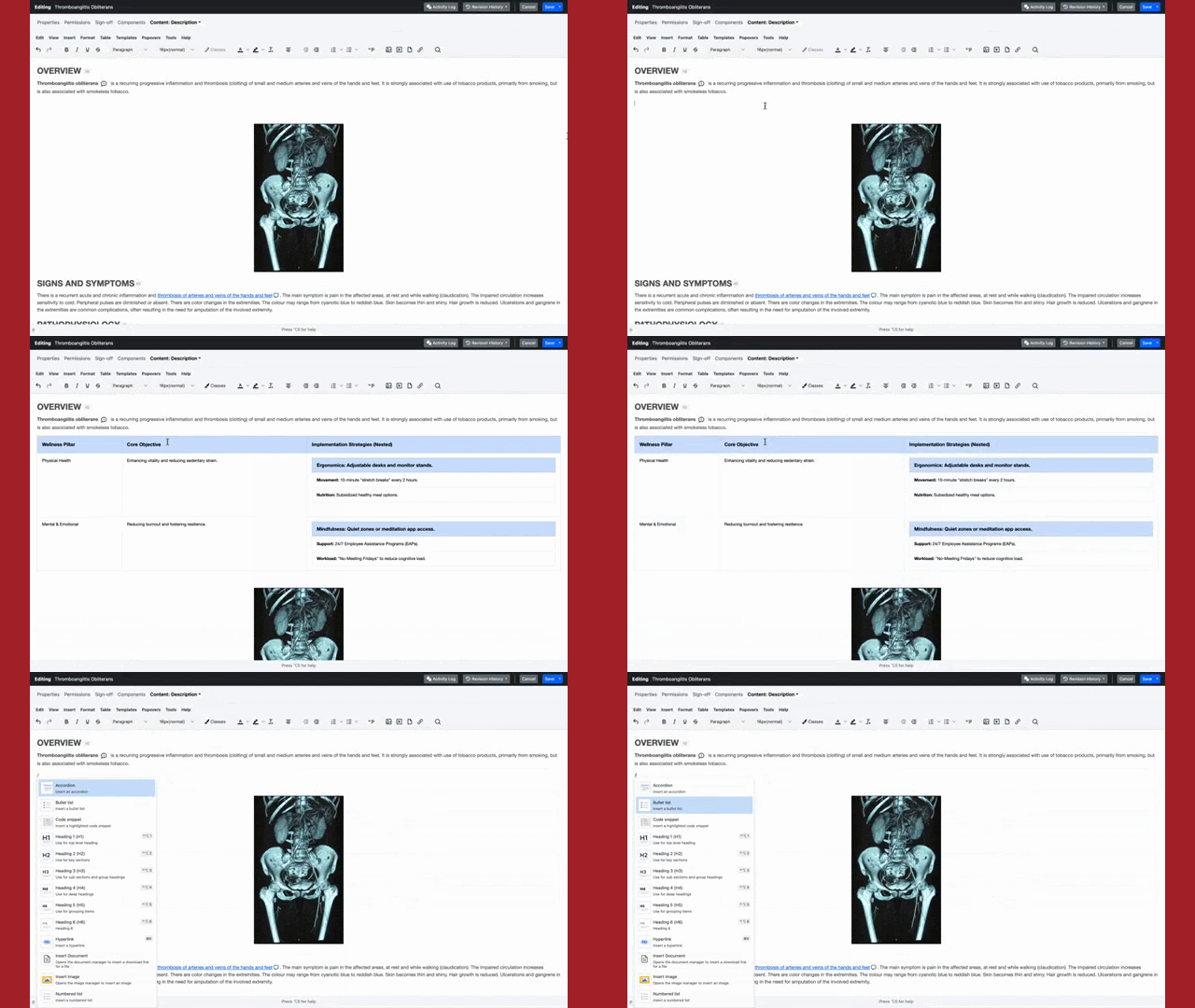
The new, modern content editor delivers a clean, distraction-free interface designed to keep you in the flow. It provides a spacious environment for writing and structuring your content, ensuring precise, frustration-free formatting every time.
- Drag and Drop: Editors can now drag and drop images straight into the editor.
- Seamless In-Page and Cross-Page Linking: Editors can easily create links to other pages using a drill-down sitemap, create deep links to specific page components, or link directly to headings on the current page.
Quick Formatting Menu
Keep your hands on the keyboard and work faster. Simply type "/" anywhere in the editor to instantly trigger a menu for formatting text, inserting tables, or embedding media.
- Quickly insert accordions, lists, and more.
Improved Pasting
Moving existing content into Ondexx is easier than ever. Ondexx now supports clean copy-pasting directly from Microsoft Word, Excel, and Google Docs. Even complex elements, like nested tables, transfer perfectly without any frustrating formatting errors.
Drag, Drop, and Upload Instantly: Editors can drag and drop files and folders anywhere in Ondexx for rapid uploading.
Ondexx AI Metadata Assistant
Tagging and summarizing content is critical for searchability, but it can be incredibly time-consuming. Ondexx 6.0 leverages AI to do the heavy lifting for you.

▶️ Watch the Video: See the AI Metadata Assistant in action (3:55)
AI Description Generation
Let Ondexx write your page descriptions for you. Instantly generate accurate summaries with one click, then easily edit them in-line. You get the incredible speed of automation alongside the confidence of manual review.
AI Keyword Suggestions
Now Ondexx automatically suggests the best keywords for your content. Click the magic wand, review the list, and approve each keyword with a click.
Context-Aware AI Generation: Every AI-generated description and keyword leverages the full context and content of the page to ensure precise, accurate results.
Reporting & Bulk Management
Managing a massive knowledge base requires powerful administrative tools. We’ve upgraded our bulk actions and reporting to help you oversee every Ondexx site at scale.

▶️ Watch the Video: See the new Report and Enhanced Bulk Management in action (4:40)
Phrase in Content Report
Quickly search for specific phrases across titles, body content, and more across an entire site. Once you have your results, export the full audit to Microsoft Excel with just one click.
- Field-Specific Filters: Narrow your results by only searching specific fields like page titles, body content, labels, and more.
Instant User Lookup
Search seamlessly across email, username, and other fields to find specific user accounts faster.
Bulk Changes Console Enhancement
The Bulk Management Console has been enhanced. You can now batch publish, approve, or decline updates across hundreds of pages simultaneously.
Welcome to the new standard for knowledge administration. Ondexx 6.0 is designed to get out of your way, eliminate the busywork, and help you create and manage your content faster than ever before!
Want to see all the changes? Dive into the 6.0 release notes.